

- Open phpMyAdmin.
- Click your database in the left pane. Several tables appear below it. Click on your wp_options table.
- Locate the siteurl and home rows. Click the pencil icon next to each to edit.
- When you scroll over these options, “browse” will appear.

- Click the pencil icon next to each to edit.
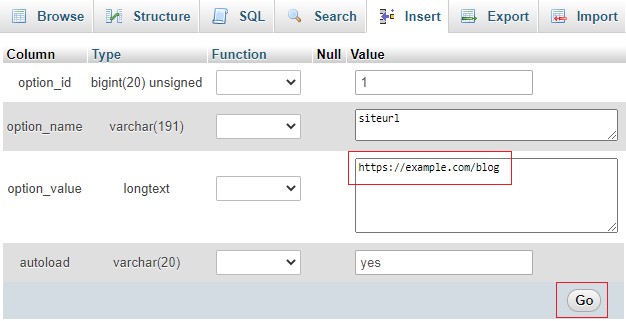
- Alter the URL by typing in a new one.
- Click the Go button to save the settings. Do this for both the siteurl and home options.
You should now be able to log into your site at example.com/wp-login.php.